Science & Tech · Big Tech & Internet · 1 day ago
VS Code tools reveal which extensions are slowing the editor
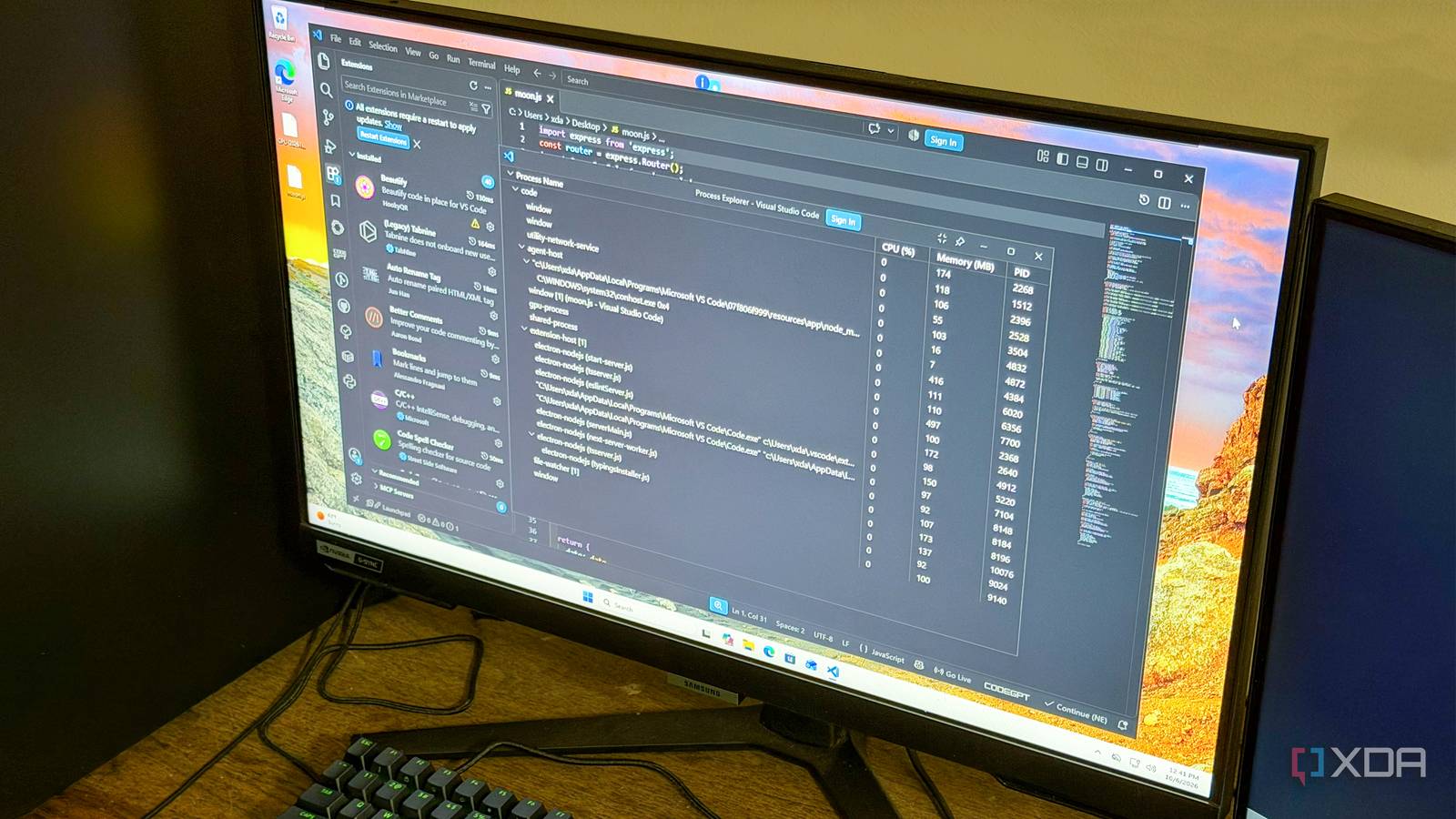
A user found that VS Code had become slow to start projects and take longer to respond.
The problem involved a growing collection of extensions, many kept after they were no longer needed.
VS Code extensions add features, but several running at once can use a laptop’s memory and processing power.
The user used “Show Running Extensions” to see how long each extension took to start.
They also opened Process Explorer to check VS Code’s CPU and memory use, including the extension host that runs many extensions.
With 40 extensions installed, the user saw memory use above 1.2 GB with no files open and then removed most of the extensions.
The user says startup improved and features felt more responsive after the cleanup.

A VS Code user found that accumulated extensions were slowing the editor and used built-in tools to identify their resource use.
The user said VS Code took several seconds to become responsive when opening projects.
The “Developer: Show Running Extensions” command showed how long each extension took to start.
Process Explorer showed CPU and RAM use, including activity from the extension host and separate extension processes.
After removing extensions, the user reported faster startup and more responsive features.
- Who
- A VS Code user and XDA contributor named Korbin.
- What
- The user used VS Code tools to investigate extension startup times and resource use.
- When
- The article was published on October 10, 2026.
- Where
- In VS Code, on the user's laptop.
- Why
- The user wanted to find out whether accumulated extensions were causing the editor's sluggish performance.
This story does not have two clearly opposing sides.
The worst offenders took upwards of 500 milliseconds (half a second), which, combined with multiple other extensions that take the same amount of time, creates a very noticeable startup delay.
My RAM usage sat at over 1.2GB with no files open (not even counting the app's overhead).
After running a freshly installed copy of VS Code on a separate machine and being reminded of just how snappy the editor is supposed to be, I decided to clear my whole catalog of extensions and only bring back what I truly need.
The user accumulated VS Code extensions, including ones used for temporary problems.
The user ran a fresh copy of VS Code on another machine, then decided to remove extensions they did not need.
The user used “Developer: Show Running Extensions” and Process Explorer to check startup times and resource use.
The user reported improved startup time and more responsive features.
- Slowest extension startup times
- More than 500 milliseconds
- Installed extensions
- 40
- Extensions spawning separate processes
- 6
- RAM use with no files open
- More than 1.2 GB
Sources
Related news

Apple’s HomeView smart home hub is expected to ship in mid-November

Apple classifies the 2017 Apple TV 4K as vintage

Microsoft unveils Surface Laptop Ultra and redesigned Windows Search

Next Apple TV may add hands-free Siri and a speaker in its remote

Apple is expected to unveil HomeView smart home hub on Tuesday

Entry-level iPad update expected in early 2027

Aves Gallery offers an Android photo library without cloud uploads

A touchscreen MacBook Pro may be coming, but the Mac and iPad remain separate

Apple reportedly plans new HomePod mini and Apple TV on Oct. 13

Apple confirms October 13 launch focused on smart home products

Apple reportedly plans touchscreen MacBook and iPad mini launch around October 27