4 days ago
Ten Steps to Free Up Space on Your iPhone

Your iPhone can run out of room when it has too many apps, photos, videos, and files.
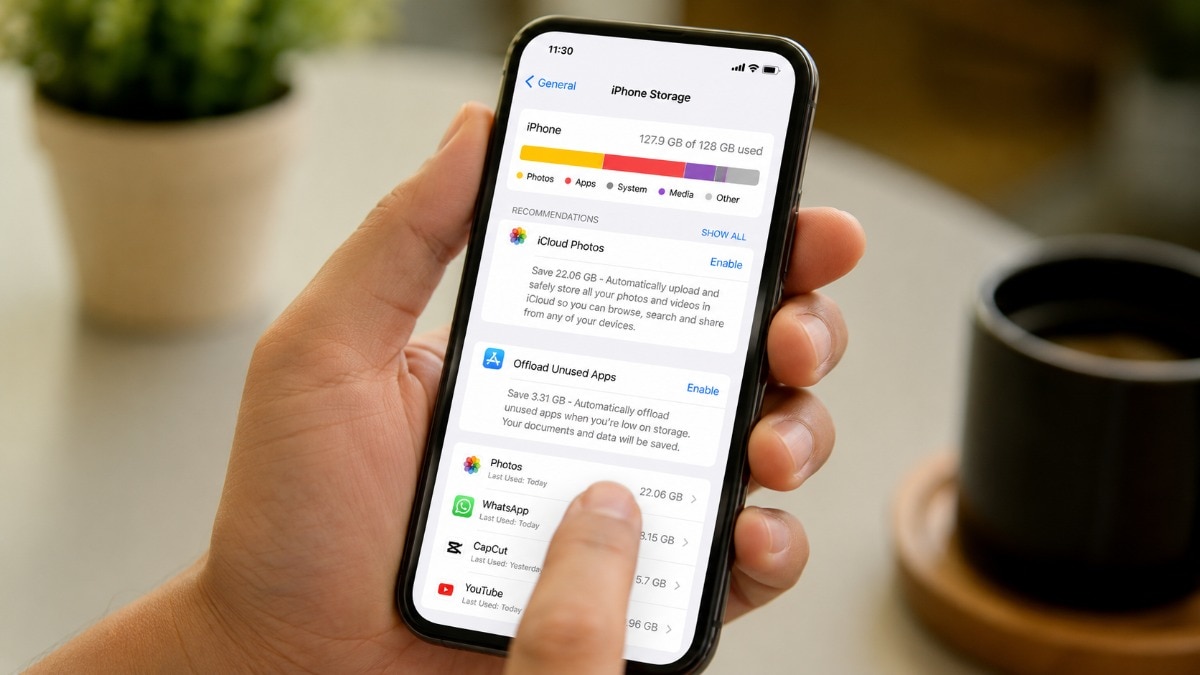
First, check iPhone Storage to see what is taking up the most space.
You can delete apps or offload them if you may want them again later.
Removing unwanted photos and videos can create a lot of room.
Remember to empty the Recently Deleted folder so those items are permanently removed.
You can also delete downloaded files, music, podcasts, notes, and voice recordings.
Clearing Safari data and large Messages attachments may free more space.
WhatsApp and Telegram can also store media and cached files that you no longer need.

Check iPhone Storage to identify which apps and files use the most space.
Delete or offload unused apps to recover storage.
Remove unwanted photos, videos, downloads, podcasts, music, notes, and voice recordings.
Clear Safari data and delete large attachments from Messages.
Review storage used by WhatsApp and Telegram, then remove unnecessary media or cached files.
- Who
- iPhone users who need more storage space.
- What
- A 10-step guide to finding and removing unnecessary apps, files, downloads, and media from an iPhone.
- Where
- On an iPhone, using Settings and apps including Photos, Files, Safari, Messages, Podcasts, Music, Notes, WhatsApp, Telegram, and Voice Memos.
- When
- When an iPhone is running low on storage or cannot easily install updates or take new photos.
- Why
- To free storage, support software updates and new photos, and potentially help the iPhone work more smoothly.
Key facts
- Number of steps
- 10
- Storage check
- Settings > General > iPhone Storage
- App removal options
- Users can delete apps completely or offload them.
- Recently Deleted
- Photos, files, and notes may need to be permanently removed from Recently Deleted.
- Messaging storage
- Messages attachments, WhatsApp media, and Telegram cache can use significant storage.
- Browser data
- Safari stores cookies, cache files, and other website data.
- Other removable content
- Downloaded music, podcasts, voice recordings, and unnecessary files can be deleted.
Sources
Related news
Photos and App Cache Drive Most Phone Storage Problems

Google Maps May Eat Phone Storage: How to Free It

Repurpose an Old iPhone as a Safer Kids’ Phone

Google Drive Desktop Ends Google Photos Backup on August 10

WhatsApp Testing Easier Way to Find Old Messages on iPhone

Retired Mumbai LIC Employee Loses ₹97.70 Lakh in Trading Scam

Google Escapes Ad Tech Breakup as Judge Rejects DOJ Sale

Tamil Nadu Cybercrime Probe Targets Deepfake Impersonating CM Vijay

Adilabad Police Arrest Suspect in Rs 5.3 Crore Instagram Fraud

Man loses ₹3.81 lakh in alleged Kerala lottery scam