1 hr ago
HP OmniPad 12 Review: A Strong Android Tablet With Quirks

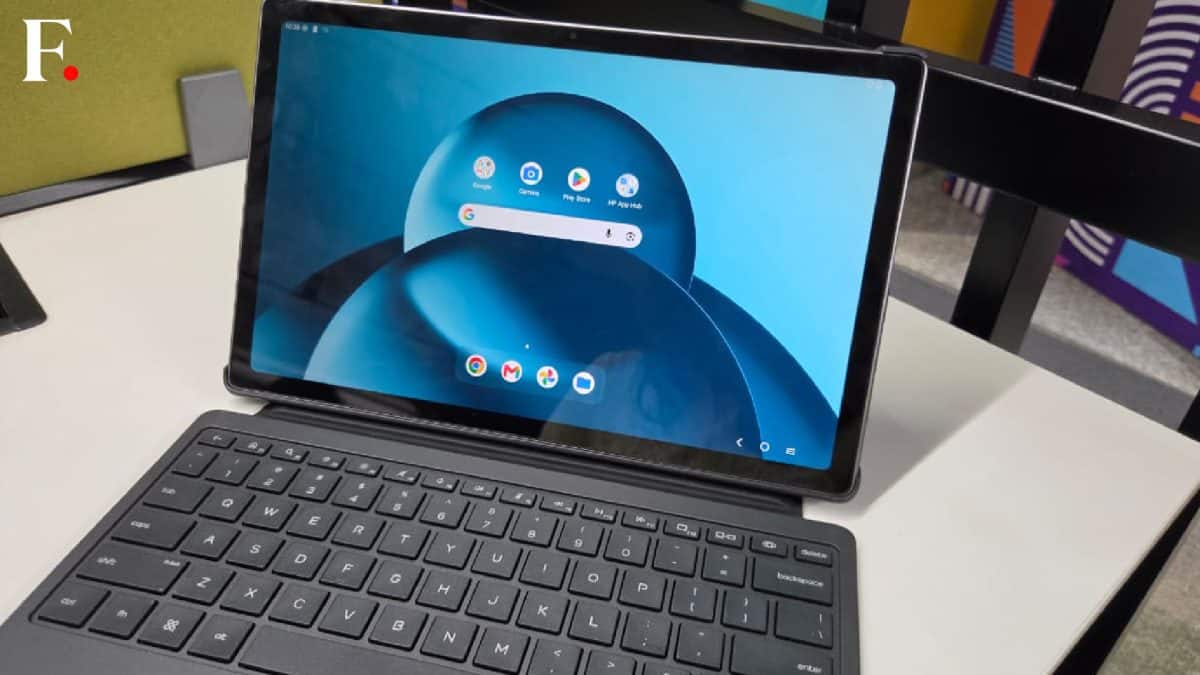
HP has made a new tablet called the OmniPad 12.
The review says it is a good device with a special feature.
It can give users a Windows-like experience while running Android.
Switching between its modes is smooth.
However, two apps placed next to each other cannot easily be swapped from left to right.
The tablet also cannot open two copies of the same app at once.
These limits may make some work tasks harder.
HP keeps the tablet relatively clean by including only three preloaded apps.

HP is re-entering the tablet market with the OmniPad 12.
The tablet offers a seamless switch between Tablet Mode and a Windows-like experience.
Users cannot change the orientation of two side-by-side apps with one tap.
The OmniPad 12 cannot run two instances of the same app side-by-side.
HP preloads only three apps, keeping bloatware to a minimum.
- Who
- HP and users of the HP OmniPad 12.
- What
- A review of HP's return to the tablet market with the OmniPad 12.
- Where
- When
- Why
- The review evaluates the tablet's mode switching, multitasking features, and limited preloaded software.
Strengths
Limitations
Productivity and multitasking
Strengths
The seamless mode switching and Windows-like experience are useful features for tablet productivity.
Limitations
Side-by-side app orientation cannot be changed with one tap, and two copies of the same app cannot be opened simultaneously.
Preinstalled software
Strengths
Having only three preloaded apps keeps bloatware to a minimum.
Limitations
The review identifies software limitations that can hamper productivity despite the minimal bloatware.
Key facts
- Device
- HP OmniPad 12
- Operating system
- Android
- Notable feature
- A Windows-like experience in Android tablet mode
- App orientation
- Side-by-side apps cannot be switched left-to-right with one tap
- Same-app multitasking
- Two instances of the same app cannot be opened side-by-side
- Preloaded apps
- Three apps
Sources
Related news
HP OmniPad 12 Review: A Capable but Imperfect Productivity Tablet

Tablet Replaces Laptop for a Month: Real Freedom, Real Limits
Why Galaxy Z Fold 8 Changes Smartphone Use

HP OmniBook Ultra Review Balances Beauty, Battery And Compromises

Amazon Great Freedom Sale 2026: Best Tablets by Battery Life
iQOO Z11 5G Review Highlights Battery Life and Value
Google Expands Translate With Real-Time Two-Way Conversation Features

WhatsApp May Add Direct Chat Support for Third-Party AI Agents