

1 week ago
Meta AI Launches Dedicated Mac App With New Tools
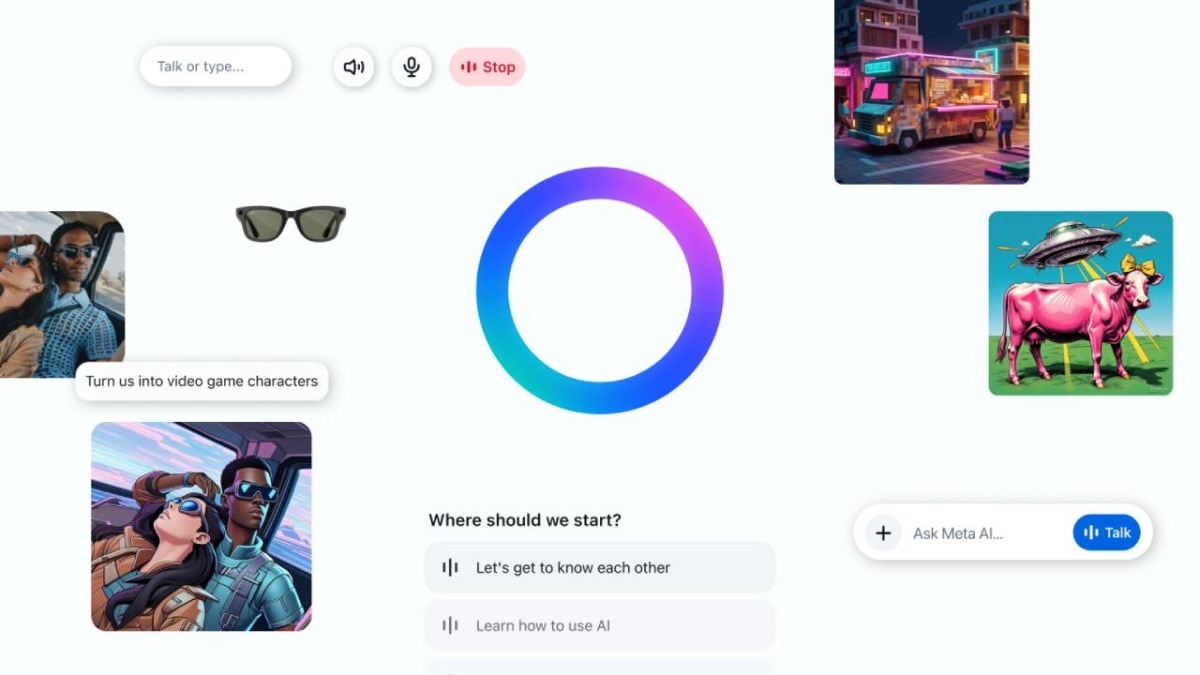
Meta has made a special version of Meta AI for Mac computers.
Users can press Option-Space to quickly open it.
They can also dictate words into other apps using a keyboard shortcut.
Meta AI can look at another open window if the user gives it Screen Recording and Accessibility permissions.
This helps the assistant understand what the user is asking about.
The app has a sidebar that keeps different kinds of work organized.
It can also upload files, create media, and schedule reminders or briefings.
Meta is also expanding its AI products with a coding tool called Muse Code.

Meta AI’s Mac app can be opened with the Option-Space keyboard shortcut.
System-wide dictation lets users enter text into Mail, text editors, and code editors.
The assistant can read visible content from another Mac window when required permissions are enabled.
A sidebar organizes media, artifacts, scheduled tasks, conversation history, and personalization settings.
Users can change thinking modes, upload files, generate media, and schedule briefings or reminders.
- Who
- Meta and users of Mac computers.
- What
- Meta launched a dedicated Mac app for its Meta AI assistant with desktop-focused features.
- Where
- On Mac computers.
- When
- The article does not specify a launch date.
- Why
- To make Meta AI easier to access and more integrated with desktop tasks.
Key facts
- App
- Meta AI for Mac
- Quick access
- Option-Space opens a compact Meta AI composer over the active window.
- Dictation
- Users can dictate text system-wide into apps including Mail, text editors, and code editors.
- Window understanding
- The assistant can read visible text and capture a screenshot from an attached active window when Screen Recording and Accessibility permissions are enabled.
- Organization
- The sidebar includes media, artifacts, scheduled tasks, conversation history, and an “About Me” section.
- Additional features
- The app supports thinking modes, file uploads, media generation, briefings, reminders, and hiding its Dock icon.
- Related product
- Meta recently launched Muse Code, a terminal-based AI coding agent for macOS and Linux.
Sources
Related news
Meta Launches Mac AI App With Screen Sharing Tools

ChatGPT Adds Apple Messages Integration for Mac With AI Replies

ChatGPT Gains Mac Texting Access, Raising Privacy Concerns

macOS 27 Golden Gate powers up Macs with Siri AI
Meta introduces AI tools to help small businesses grow

xAI and Cursor Unveil Grok Bot iPhone and Mac App

Meta Plans Hatch AI Agent and Watermelon Model Launches

AI Model Releases Outpace Independent Testing, Raising Evaluation Concerns

Meta’s Muse Glimmer Brings AI Models to Consumer Devices
OpenAI's Daybreak Red hacking model found 400 kernel vulnerabilities
