

Science & Tech · Big Tech & Internet · 4 hrs ago
Mac Passwords app will offer more automatic locking options
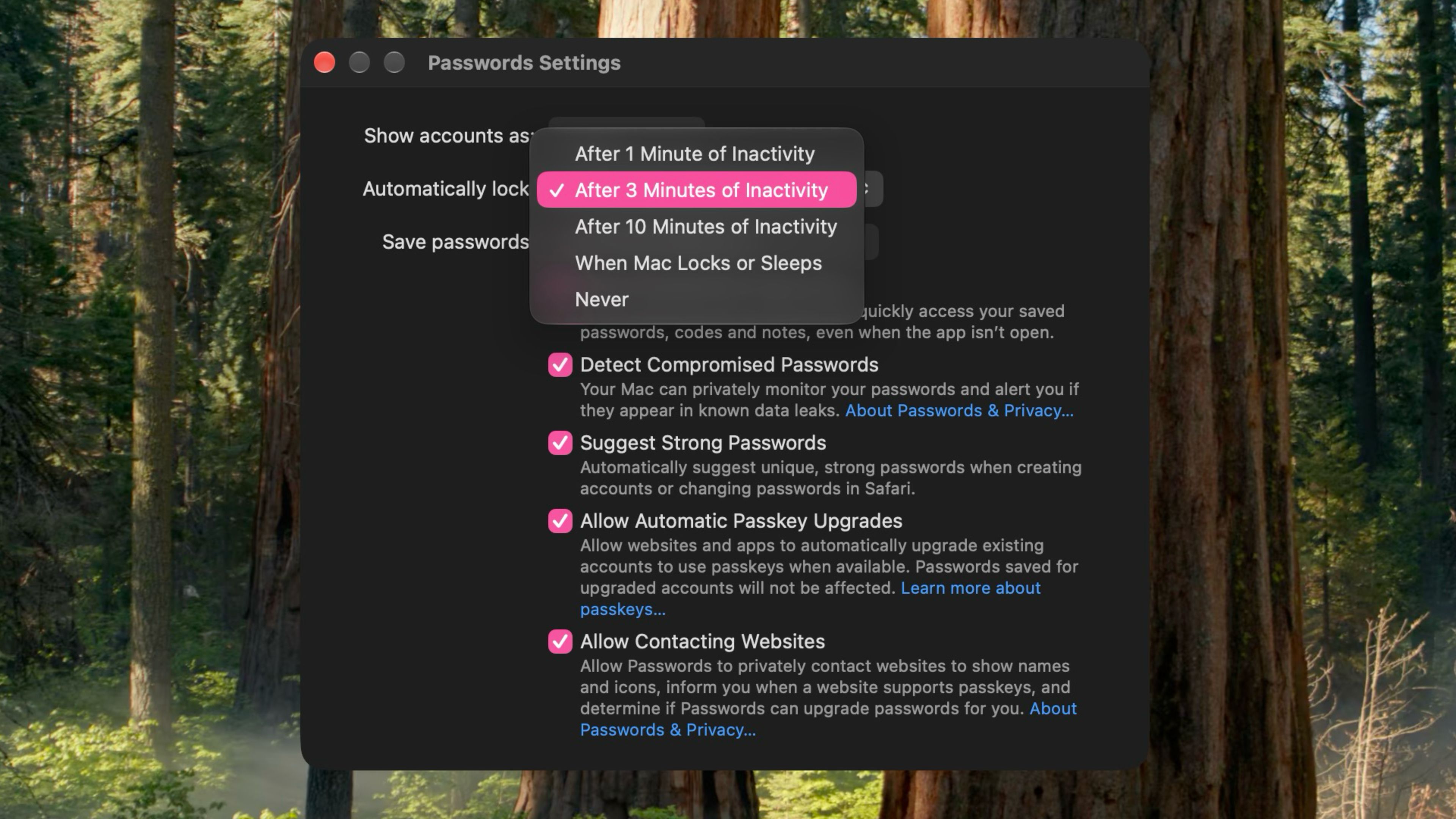
Apple is adding more control over when Mac passwords lock in an upcoming macOS update.
The change is in the macOS 27.3 beta and affects the Passwords app, which manages iCloud passwords and logins.
Today, the app automatically locks after three minutes of inactivity, with no way to change that time.
The beta adds options to lock after one, three or 10 minutes, when the Mac locks or sleeps, or not automatically at all.
This lets Mac users choose how long the app stays unlocked to suit their needs.
Apple introduced the dedicated Passwords app with macOS Sequoia in September 2024.
The update is expected in December, but the sources do not give an exact release date.

Apple’s Passwords app for Mac will offer more choices for when it locks automatically.
A menu in the macOS 27.3 beta lists inactivity timeouts of one, three or 10 minutes.
Users will also be able to set the app to lock when the Mac locks or sleeps, or never lock automatically.
The current macOS 27.2 release uses a fixed three-minute inactivity timeout.
The update is expected to arrive in December.
- Who
- Apple is adding options for users of its Passwords app on Mac.
- What
- The app will offer more automatic-locking settings, including different inactivity timeouts and options tied to the Mac locking or sleeping.
- When
- The change is expected in an update arriving in December.
- Where
- In Apple’s Passwords app on Mac.
- Why
- Not stated
This story does not have two clearly opposing sides.
Apple added a dedicated Passwords app with the release of macOS Sequoia.
The general release used a fixed three-minute inactivity timeout.
A new menu with additional automatic-locking options was spotted.
The update is expected to arrive.
- Inactivity options
- One, three or 10 minutes
- Other lock settings
- Lock when the Mac locks or sleeps, or never automatically lock
- Current timeout
- Three minutes in macOS 27.2
- Beta version
- macOS 27.3
- Expected update
- December