

Science & Tech · Gadgets & EVs · 3 hrs ago
iPhone Duo Setting Moves Screen Content Clear of Some Cases
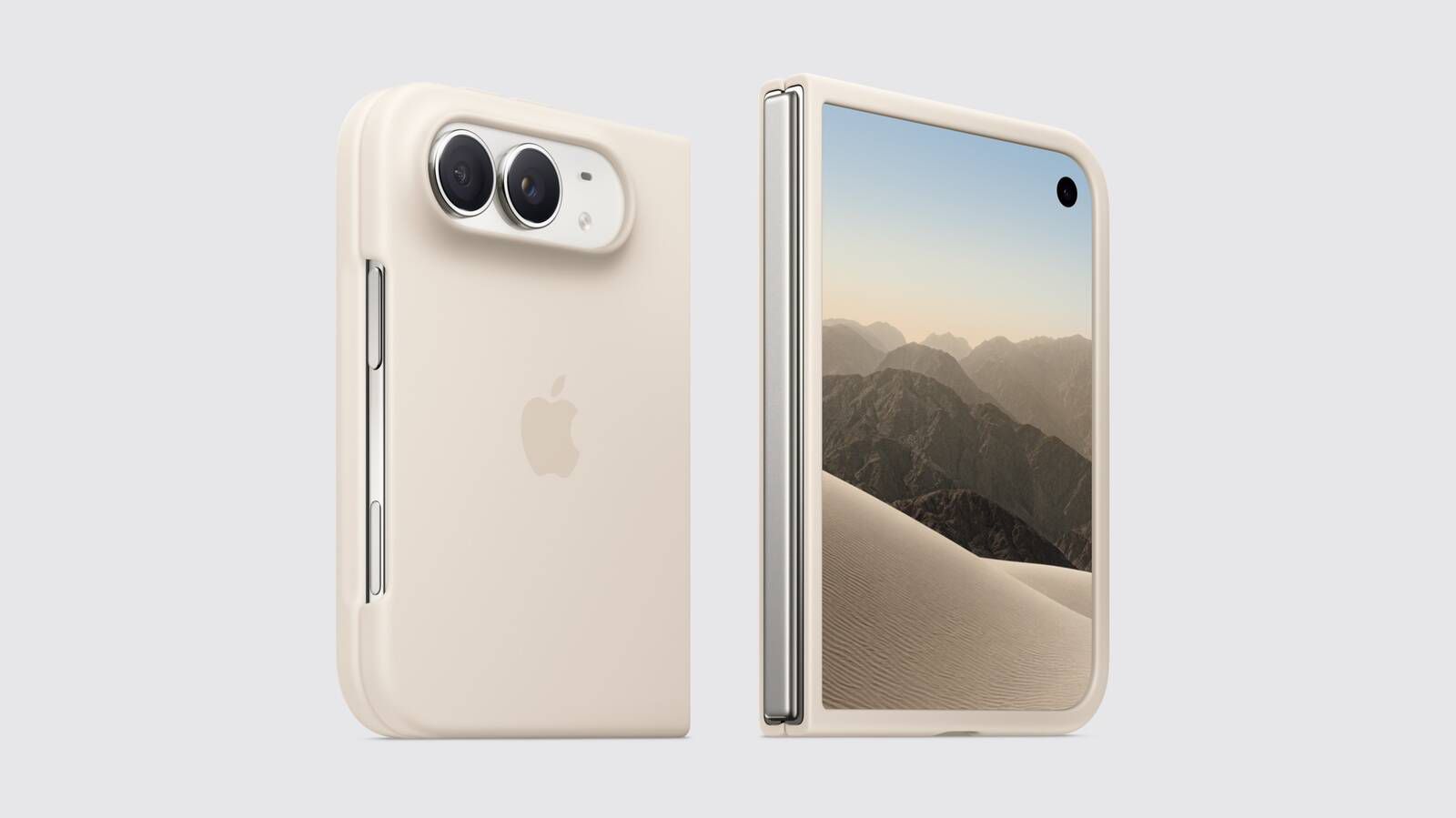
Apple added a Shift Left Edge setting to the iPhone Duo for cases that cover part of its outer display.
The setting moves the display edge inward so screen content is not hidden beneath a case.
With Apple's iPhone Duo Case, a prompt directs users to the setting; owners of third-party cases can switch it on manually.
They can find it under Display & Brightness in Settings and must confirm that the phone can briefly restart to apply the change.
A narrow black border appears along the left edge after the setting is enabled.
Apple's Folio with Kickstand does not cover the display in the same way, so it does not cause this issue.

Apple’s iPhone Duo has a setting that shifts the outer display’s left edge to keep content from being covered by some cases.
The setting, called Shift Left Edge, can be enabled manually for third-party cases.
When Apple’s official iPhone Duo Case is fitted, a prompt directs users to the setting.
Applying the setting requires the phone to briefly show a black screen, but it does not perform a full reboot.
Apple also offers a Folio with Kickstand that does not cause display occlusion.
- Who
- Apple iPhone Duo owners using cases that cover part of the outer display.
- What
- The Shift Left Edge setting insets the display edge so on-screen content is not hidden beneath a case.
- When
- Not stated.
- Where
- On the iPhone Duo’s outer display.
- Why
- To keep content clear of cases or frames that partially cover the display’s left edge.
This story does not have two clearly opposing sides.
MacRumors first covered the Shift Left Edge setting.
MacRumors reported that Apple had documented the setting and described how it works with cases.
- Setting
- Shift Left Edge
- Compatible case use
- Manually enabled for third-party cases
- Apple case prompt
- Appears when the official iPhone Duo Case is fitted
- Display change
- A narrow black border appears on the left side of the outer screen
- Other official case
- Folio with Kickstand causes no display occlusion