

Archive · 6 Jun 2025
Google Adds Real-Time Captions to Gemini Live for Users
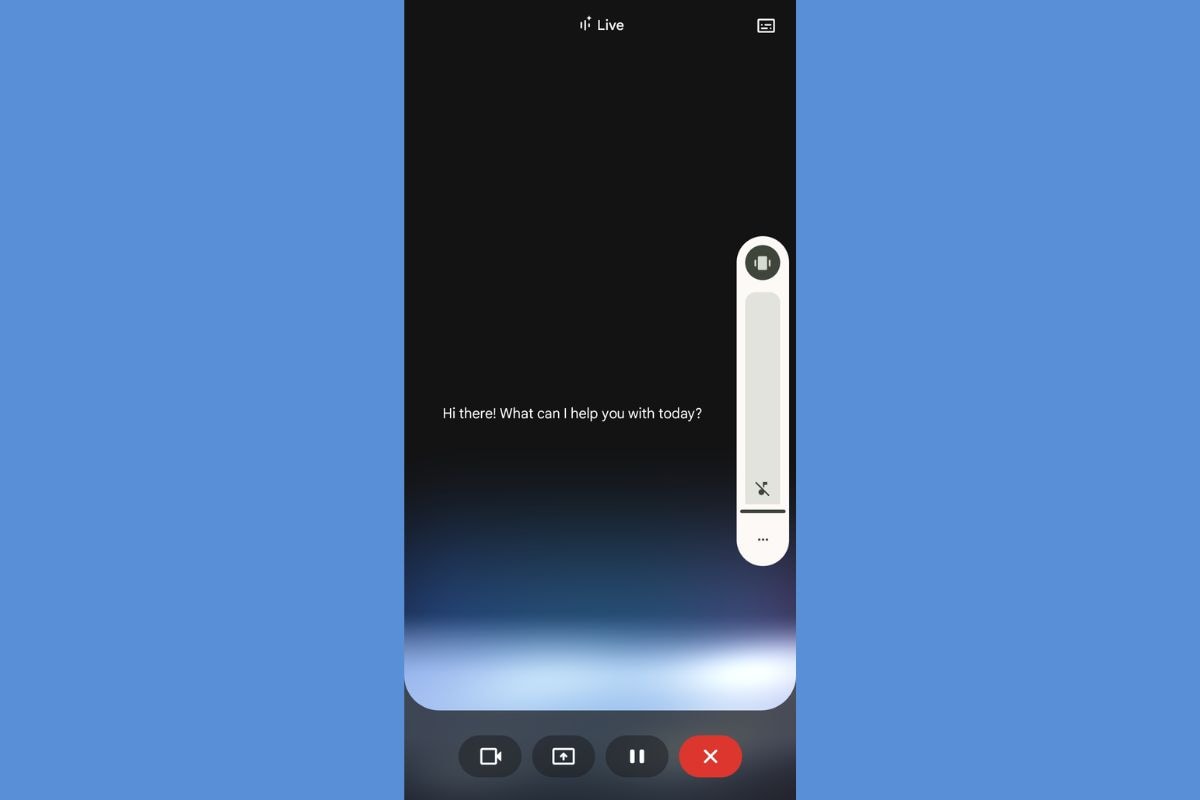
Google is adding real-time captions to its Gemini Live feature, which is like having subtitles for the AI chatbot.
This means you can read what Gemini says on your screen, making it easier to follow the conversation and use it without turning up the volume.
You can also customize the captions' size and appearance.
The feature is currently rolling out to some users and may be available to more soon.

Google is adding real-time captions to Gemini Live.
The feature will display text captions at the center of the screen.
Users can customize the size and style of the captions.
The feature is accessible via a new dialogue box icon.
The feature is rolling out with the Google app version 16.21.57.
- Who
- What
- Is adding real-time captions to Gemini Live.
- When
- Rolling out now.
- Where
- Gemini Live
- Why
- To make the conversations easier to follow and more accessible.
- Product
- Gemini Live
- New feature
- Real-time captions
- Caption location
- Text at center screen
- Caption settings
- Customizable size and style
- Availability
- Via Google app 16.21.57