

Archive · 3 Dec 2025
Android 16 QPR2 Update Rolls Out
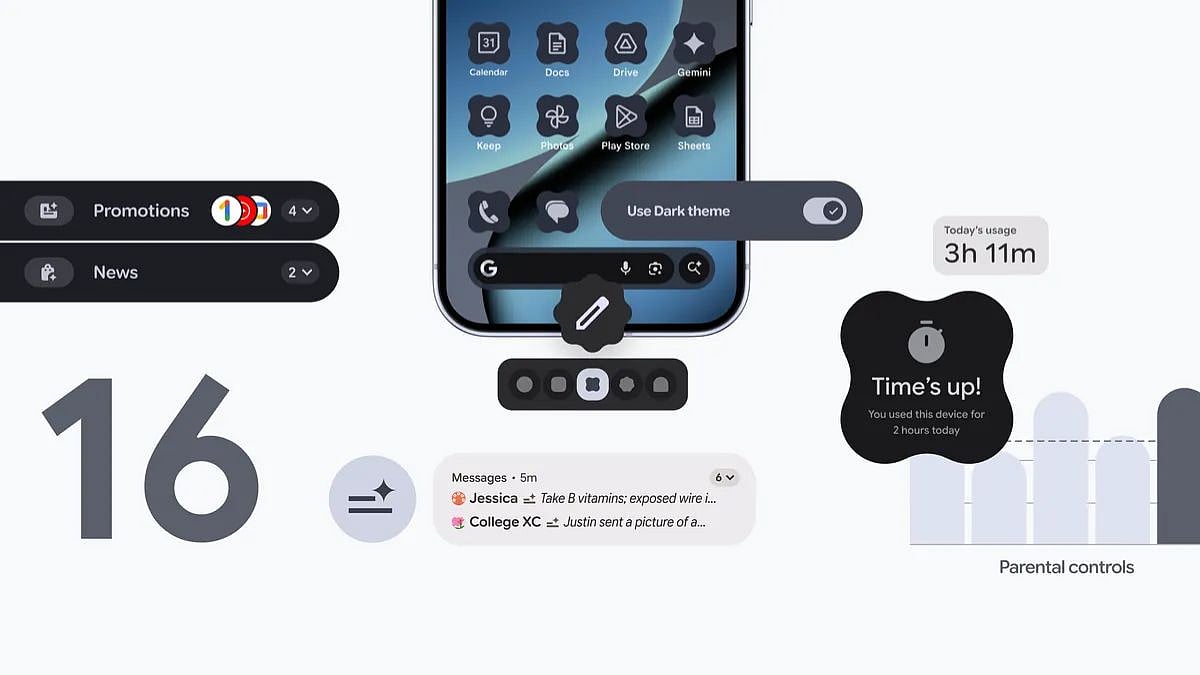
Google has released a new update called Android 16 QPR2 for Pixel phones and tablets.
This update brings lots of new features like custom icon shapes, themed icons, and a new dark theme.
It also helps organize notifications better and makes multitasking easier.
The update includes important security improvements to keep your device safe.
To get the update, go to your phone's settings, then system, then system update, and check for the update.
It might take a few days for the update to reach all devices.

Android 16 QPR2 update is rolling out to eligible Pixel devices, including Pixel 6 series and newer.
New features include custom icon shapes, themed icons, Expanded dark theme, Notification Organiser, Lock screen widgets, and improved multitasking.
Security enhancements include expanded Identity Check, smartwatch support, and protections against SMS one-time password hijacking.
Additional features include Parental Controls, Enhanced HDR brightness controls, and improved touchpad and mouse support.
The update can be installed by navigating to Settings > System > System update > Check for update.
- Who
- What
- Android 16 QPR2 update
- When
- Rolling out in batches, exact dates not specified
- Where
- Eligible Pixel phones and tablets
- Why
- To introduce new features, improve security, and enhance user experience
- Update Name
- Android 16 QPR2
- Eligible Devices
- Pixel 6 series and newer, including smartphones and tablets
- New Features
- Custom icon shapes, themed icons, Expanded dark theme, Notification Organiser, Lock screen widgets, 90:10 split ratio for multitasking, Identity Check enhancements, Parental Controls, Enhanced HDR brightness controls, Improved touchpad and mouse support
- Security Patch
- December 2025 security patch
- Installation Method
- Settings > System > System update > Check for update
