

Archive · 27 Jan 2026
iOS 26 Introduces Smart Call Screening for iPhone Users
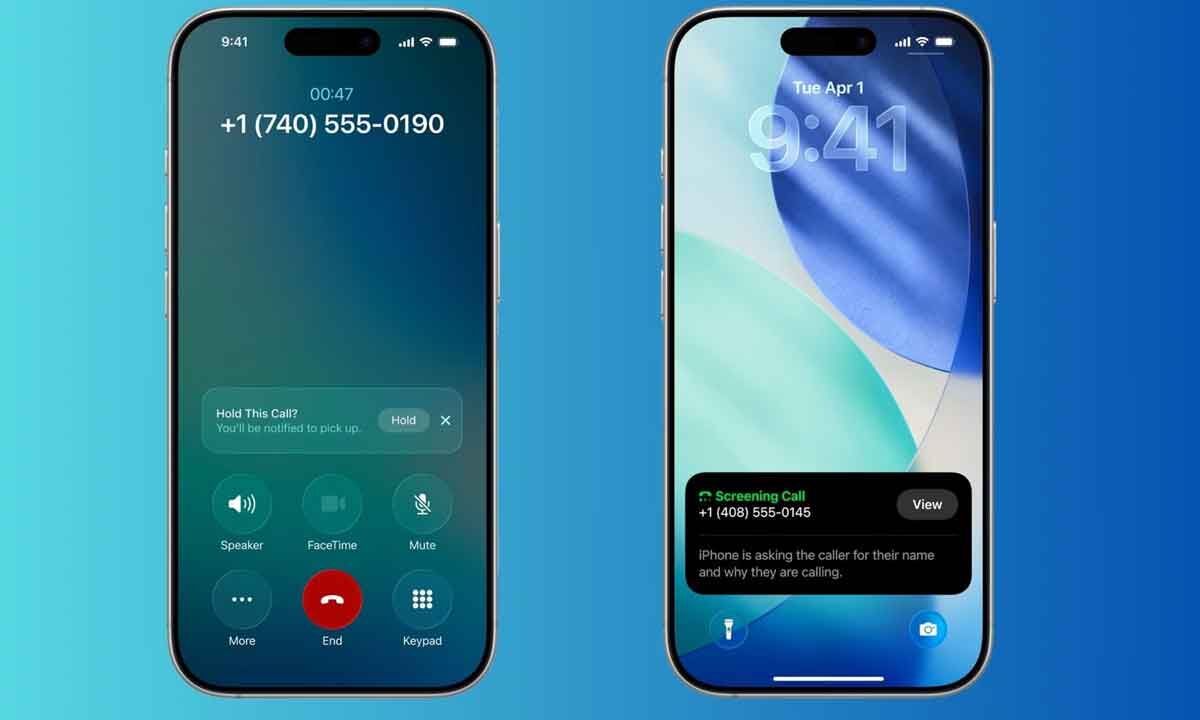
Apple's new iOS 26 update has a cool feature to help stop annoying spam calls.
It has a smart call screening tool that answers unknown calls for you with a robotic voice.
This way, you can see what the caller wants without talking to them directly.
You can set it up in your phone settings.
There are also other options to block unknown numbers or use third-party apps for extra protection.
This update makes it easier to avoid spam calls and have a more peaceful phone experience.

iOS 26 introduces a smart call screening feature to reduce spam calls.
The feature uses a robotic voice to answer unknown calls and provide a text transcript.
Users can enable it in Settings under Phone > Screen Unknown Callers.
Additional options include blocking unknown numbers or using third-party apps for extra protection.
The update aims to enhance user privacy and convenience.
- Who
- iPhone users
- What
- iOS 26 update introduces smart call screening
- When
- With the release of iOS 26
- Where
- On iPhones
- Why
- To reduce spam calls and enhance user privacy
- iOS Version
- 26
- New Feature
- Call Screening
- Activation Path
- Settings > Apps > Phone > Screen Unknown Callers
- Third-Party Apps
- RoboCaller, Hiya, Truecaller
- Primary Benefit
- Reduced spam calls