

Archive · 21 May 2025
How to Install Shaders in Minecraft
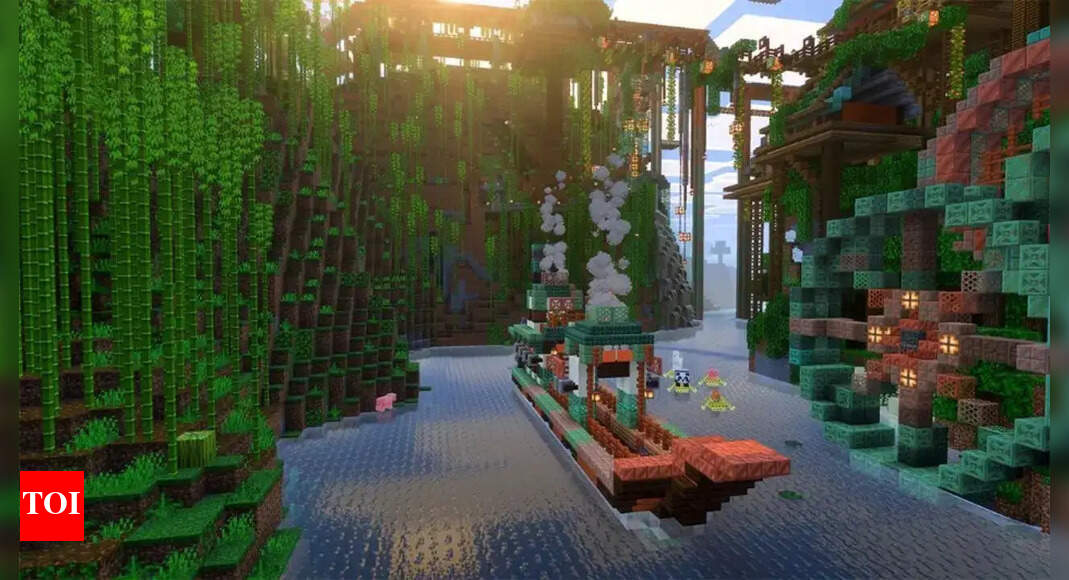
Shaders make Minecraft look better!
They add things like realistic lighting and shadows, making the game more immersive.
To use shaders, you need to install OptiFine first, which helps the game run better.
Then, you download a shader pack, which is like a set of instructions for how to change the graphics.
You put the shader pack in a special folder in your Minecraft settings.
Once it's in the folder, you can turn the shader on in the game's options.
There are different shader packs, each with its own style.
Remember, shaders only work on the Java Edition of Minecraft and require a good computer to run smoothly.

Shaders improve Minecraft graphics with realistic lighting and effects.
Requires OptiFine, a Minecraft optimization mod.
Download and install OptiFine from its official website.
Download a shader pack; popular options include SEUS, BSL, and Sildur’s.
Place the shader pack .zip file in the shaderpacks folder within Minecraft settings.
- Who
- Minecraft players
- What
- Installing shaders to improve Minecraft graphics.
- When
- N/A
- Where
- In the Minecraft game settings
- Why
- To enhance the visual experience of Minecraft, adding features like realistic lighting and shadows.
- Shader Definition
- Enhancements that improve Minecraft graphics
- Prerequisite
- Requires OptiFine
- Popular Shaders
- Sonic Ether’s Unbelievable Shaders (SEUS), BSL Shaders, Sildur’s Vibrant Shaders
- Shader Installation
- Move the downloaded .zip shader pack file into the opened shaderpacks folder.
- Compatibility
- Java Edition only